
For a first site, Squarespace wins with its polished designs, perfect for a portfolio or a professional showcase. Wix, on the other hand, focuses on flexibility and adapts to a wide range of projects.
Both are excellent mainstream builders. What sets you apart is your project: portfolio, store, or showcase. We break it down, one criterion at a time.
| The essentials |
|---|
| Squarespace shines with its carefully designed templates: elegant results without effort, perfect for a portfolio or showcase. Wix bets on freedom and rich functionality: ideal for a store or a project that needs to grow. Both are managed without any technical skills. Your type of project, more than the platform, tips the scales. |
Squarespace and Wix: two builders, two philosophies
Squarespace and Wix aim for the same goal through two distinct paths. One bets on refined beauty, the other on total freedom.
Squarespace, the choice for refined design
Squarespace offers templates designed by graphic designers. You get a polished site quickly, but within a defined framework. The structure guides your choices, which reassures beginners.
The platform has over 5 million subscribers and approximately 200 templates, all designed to showcase content beautifully. The promise: a beautiful site, even without a design eye.
Wix, the flexibility champion
Wix lets you place each element wherever you want. This freedom opens all doors, at the cost of a bit more freedom. You keep control over every detail.
With over 280 million users and over 900 templates, Wix casts a wide net. Its promise: a tool for almost every project, from portfolio to online store.
| Quick definition |
|---|
| Squarespace and Wix are hosted website builders: everything is provided in one package, with no software to install or server to manage. You pay a subscription, build by drag-and-drop, and the platform handles the rest behind the scenes. |
Squarespace vs Wix: what the comparison shows
The points to examine before making your final choice, at a glance.
| Criteria | Squarespace | Wix |
|---|---|---|
| Getting started | Structured, guided | Free, to master |
| Design | Polished, framed | Flexible, to refine |
| Templates | ~200, refined | 900+, versatile |
| Change model | Unified system | Locked at creation |
| Shop | Simple, elegant | Complete, scalable |
| Blog | Rich | Solid |
| Starting Price | ~$16 / month | ~$17 / month (+ free) |
| SEO | Solid | Solid |
Ease of use: which one to start stress-free?
Squarespace reassures beginners with its structured editor. You fill in ready-made sections without the risk of accidentally moving everything around. The result stays clean, even without experience.
Wix offers more freedom, but that freedom requires a learning curve. Placing each block by hand can be daunting at first. In return, you never feel blocked.
One point often reassures the undecided. On Squarespace, it's hard to build an ugly site, even without a design eye. On Wix, this freedom requires a bit more attention to keep a clean finish.
Wix comes with an assistant that drafts a site based on a few answers. Squarespace, on the other hand, guides you through its templates. Two paths, one same reflex: never start from scratch.
| Expert insight |
|---|
| Ask yourself a simple question: do you want to follow a reassuring framework, or place everything yourself? If starting from a blank page makes you anxious, Squarespace will support you. If this idea excites you, Wix will delight you. |
Design and templates: aesthetics versus choice
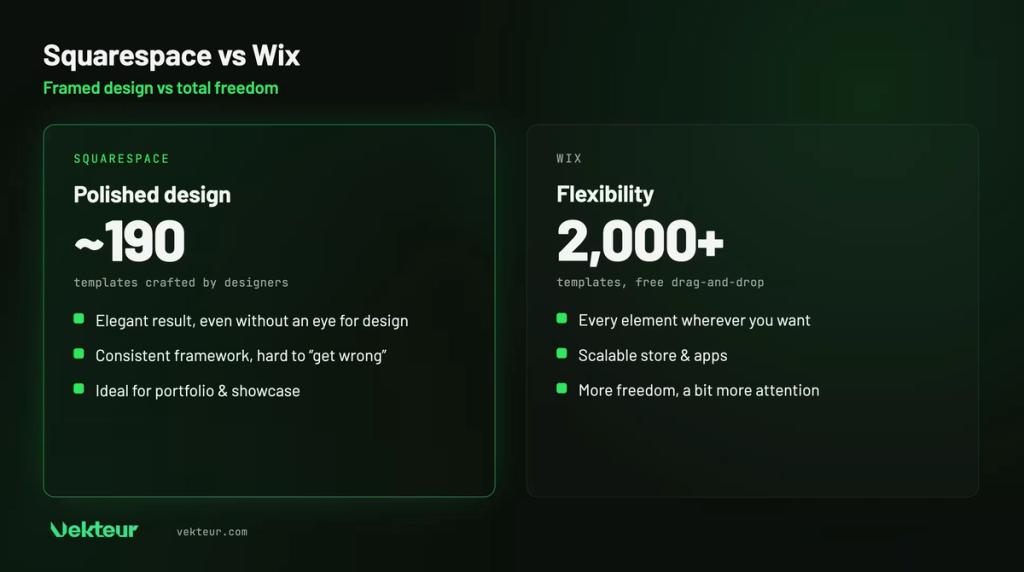
It's the heart of the battle. Squarespace focuses on quality, with approximately 200 carefully crafted templates. Wix focuses on quantity, with over 900 templates for every taste.
One detail matters for the future. On Wix, the template locks in at creation: to change it, you must rebuild the site. Squarespace 7.1 works differently: one single template system. You don't change templates, but you redesign everything without losing your content.
Beyond the number, consistency matters. Squarespace templates remain harmonious no matter what you do. On Wix, a little method prevents a cluttered look despite the great freedom.
| For your brand image |
|---|
| A photographer's portfolio on Squarespace breathes elegance without adjustment. Images take center stage, text fades away. The same portfolio on Wix can be just as beautiful, but requires an eye and a bit of patience to frame each section. |
Online store: sell with one or the other
Both allow you to sell online, but Wix goes further. It handles multi-channel sales, physical points of sale, and many applications. Squarespace offers a simpler store with always polished presentation.
For a few well-presented products, Squarespace is more than enough. For a large catalog and evolving needs, Wix has the edge.
Wix also knows how to process offline payments: a terminal connects your store to your counter. An asset for businesses operating on both fronts.
Also consider transaction fees. Both charge reduced commissions, sometimes none, depending on the plan you choose. Check this detail if you're planning a high volume of orders.
| Good to know |
|---|
| Squarespace built its reputation on design; Wix, on versatility. Neither is poor at selling, but their strengths differ. To sell a few products with style, Squarespace is enough. For a business growing fast, Wix has more capacity. |
Blog and content: which one for publishing regularly?
If content matters to you, Squarespace keeps a clear advantage. Its blogging tool manages categories, tags, scheduling, and careful layout. Wix offers a decent blog, but less feature-rich.
Publishing articles attracts visitors over time. Squarespace makes this daily work easier, with a pleasant and clear writing experience.
An active blog feeds your SEO month after month. If regular publishing is part of your plan, this detail clearly favors Squarespace.
Price: how much does each plan cost?
Both practice similar pricing, by monthly subscription. Squarespace starts around $16 USD per month, Wix around $17 USD. The gap widens on advanced plans.
Wix adds an option that Squarespace doesn't have: a free plan. Handy for trying it out, but it displays Wix ads and a wixsite.com address.
| Plan | Squarespace | Wix |
|---|---|---|
| Entry-level | ~$16 / month | ~$17 / month |
| Free plan | No | Yes (with ads) |
| Shop | From entry-level | Depending on the plan |
| Domain name | 1 year included | 1 year included |
| ⚠️ Warning |
|---|
| Wix's free plan isn't designed for a business: forced ads and a wixsite.com address harm your image. For serious use, plan for a paid plan on both sides. Pricing converges around $16 to $17 per month. |
SEO: being found on Google
Both have made significant progress and index correctly. Wix offers more comprehensive tools, with built-in assistants. Squarespace remains effective, within a simpler framework.
On this point, neither disqualifies the other. Your content and keywords weigh much more heavily than the platform you choose.
A subtle advantage leans toward Wix. Its assistants guide beginners step by step to fill in titles and descriptions. Squarespace is more understated, but the essentials are there.
Who chooses what? Three concrete cases
Nothing beats a real case to decide. Here are three common profiles and the tool tailored for each.
The creative who showcases their work
A photographer or designer wants an elegant portfolio, without tinkering. Squarespace highlights its images from the first template.
The versatile small business
A business sells online, at the counter and wants flexible promotions. Wix's richness and its applications cover these varied needs.
The future blogger
Someone who bets on content and publishes frequently wins with Squarespace. Its blogging tool makes publishing enjoyable over time.
Squarespace or Wix: the decision tree
To decide quickly, let your answers guide the choice. Two questions, and the right option becomes clear.
Is a ready-made template enough for you? If not, consider delegating to an agency a custom website removes all limitations.
If yes, is your priority premium design? Then lean towards Squarespace. If you're mostly aiming for flexibility or an online store, Wix has the advantage.
For which project: our verdict
The right choice depends on your objective. Here's a clear recommendation based on your profile.
Squarespace is ideal for…
Creatives, photographers, artists and consultants. Portfolios and showcase websites that rely on elegant design, where beauty takes priority over flexibility.
Wix is ideal for…
Retail stores, restaurants and small businesseswith varied needs. Online stores that want to grow, and projects that require a lot of freedom.
| Your profile | Our recommendation |
|---|---|
| Portfolio, polished design | Squarespace |
| Blog with regular publishing | Squarespace |
| Growing store, multi-channel | Wix |
| Versatile project, maximum freedom | Wix |
| First website, small budget | Either one |
| You want to delegate | Custom website (agency) |
| What you need to know |
|---|
| Squarespace: polished design out of the box, ideal for portfolios, showcases and blogs. Wix: flexibility and feature-rich functionality, ideal for stores and evolving projects. No technical skills required on either side. The type of project, well before the price, guides the decision. |
When a custom website becomes relevant

For most projects, Squarespace or Wixdo the job very well, and for a long time. A polished showcase or a simple store has no reason to aim higher. No need to overcomplicate a need that doesn't require it.
Custom solutions are only justifiedonly in specific cases. A visual identity to respect pixel-perfectly, critical performance requirements, or a feature missing from these platforms. That's when a site built on Webflow, or entrusted to an agency, removes these constraints. To place Webflow among pure design tools, read Framer vs Webflow.
There's no rush, though. If you're unsure, start simple : you'll migrate when the limitation becomes real, not before. An agency can then take over your content without starting from scratch.
Frequently asked questions about Squarespace and Wix
Squarespace or Wix, which is cheaper?
Both start at a similar price, around $16 to $17 USD per month. Wix offers a free plan, but with ads. For professional use, the prices are comparable.
Which site builder is best for a portfolio?
Squarespace, hands down. Its elegant templates showcase photos and visual projects. It's the favorite choice for creatives.
Can you change the template after creating the site?
On Wix, no: the template is fixed at creation, and changing it requires rebuilding the site. On Squarespace 7.1, there's only one template system: you redesign everything freely, without losing your content.
Are Squarespace and Wix good for SEO?
Yes, both rank correctly on Google. Wix offers slightly more complete tools. But your content remains the most important factor.