
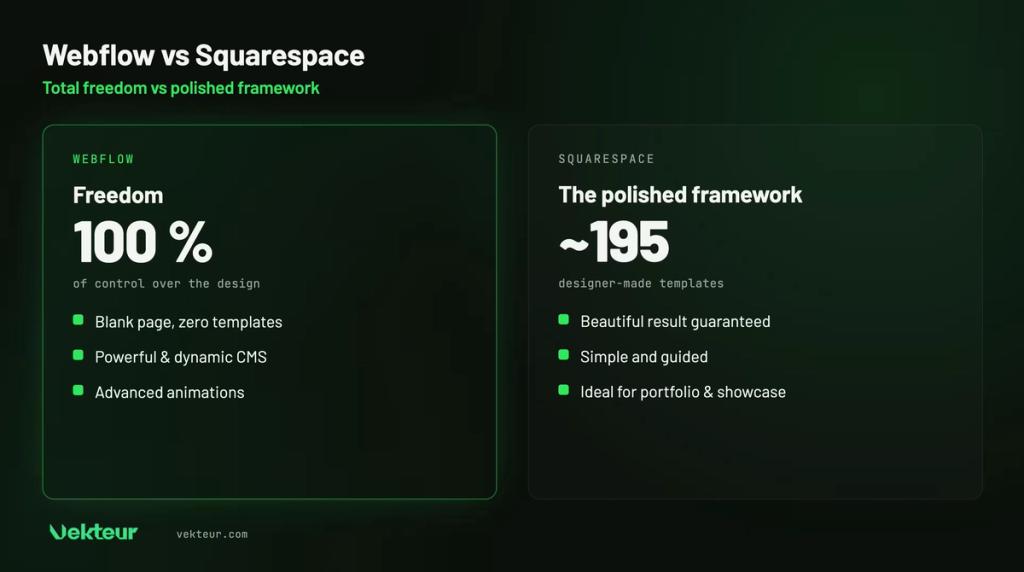
Squarespace dresses your site in elegant, ready-to-use templates. Webflow gives you a blank canvas and total control. The choice comes down to comfort versus freedom.
Two thoughtfully designed tools, but not with the same degree of flexibility. It remains to be seen where the gap widens.
| The essentials |
|---|
| Squarespace: refined templates, an elegant site effortlessly, perfect when the framework suits you. Webflow: total design freedom and a powerful CMS, for a truly custom site. Squarespace excels in comfort and speed; Webflow, in freedom and scalability. |
Webflow and Squarespace: two approaches to design
Both care about aesthetics, but approach it from opposite ends. Squarespace guides you within a framework. Webflow lets you design everything.
Squarespace, elegance within a framework
Squarespace relies on templates signed by designers. You get a beautiful site quickly, as long as you stay within the planned boundaries.
This framework is reassuring: it's hard to mess up your site. The downside is that you move forward on marked paths.
The formula appeals: over five million subscribers. The downside is that customization stops where the template decides.
Webflow, the freedom of custom design
Webflow starts from a blank page and gives you control over everything. Every margin, every animation, every detail is adjusted to the pixel.
Concretely, you build your own components and reuse them everywhere. The site stays cohesive, even as it grows.
You'll find Webflow behind demanding sites, signed by Dell or Zendesk. This autonomy requires learning, but it opens an almost unlimited range of design possibilities. The two titans of no-code design meet in our comparison Framer vs Webflow.
| Quick definition |
|---|
| A template imposes a starting structure: practical, but limited. Custom design starts from zero and imposes no boundaries. Squarespace lives in the first world, Webflow in the second. That's where all their differences come from. |
Webflow vs Squarespace: what the comparison shows
Line by line, what reallysets the two tools apart.from each other.
| Criteria | Squarespace | Webflow |
|---|---|---|
| Design freedom | Framed, elegant | Total, to the pixel |
| Getting started | Guided, simple | Learning curve |
| Templates | ~200 refined | None, blank canvas |
| CMS | Solid | Powerful, dynamic |
| Animation | Limited | Advanced |
| Shop | Turnkey | Custom-built |
| Starting Price | ~$16 / month | ~$15 / month |
| Ideal for | Beautiful fast site | Distinctive, scalable site |
Design: how far can you go?
It's the heart of the match. Squarespace guarantees a polished result, but within clear limits. Webflow, on the other hand, pushes these limits far beyond.
On Squarespace, you arrange predefined sections. On Webflow, you create the structure itself, without template constraints.
The difference is striking on an ambitious project. Where Squarespace makes you work with its blocks, Webflow lets you invent your own.
As long as the template suits you, Squarespace is comfortable. The day you want to break free, Webflow becomes essential.
| Expert insight |
|---|
| Look at your design references. If you can reproduce them in a Squarespace template, great: keep it simple. If they require a unique layout, Webflow will save you from fighting the tool. |
Animation and interactions: Webflow's advantage
Webflow integrates advanced interactions: scroll effects, transitions, micro-animations. Enough to bring a site to life.
Squarespace is more subtle on this point. Some effects exist, but without Webflow's finesse or freedom.
| Real-world example |
|---|
| A site that tells a story as you scroll, with elements appearing at just the right moment? That's Webflow's terrain. An elegant, straightforward showcase that gets straight to the point? Squarespace delivers it without complication. |
Content and CMS: a step above
For a blog or content-rich site, Webflow goes at full speed. Collections, dynamic pages, filters: it's all there.
Think of a magazine, a directory or a multilingual site. These complex structures quickly become natural on Webflow.
Squarespace handles content correctly, especially blogging. But with complex structures, it quickly reaches its limits.
Selling online: elegance versus flexibility
On the shop side, each one defends its approach. Squarespace bets on a refined storefront, simple to manage, true to its aesthetic.
Webflow builds instead the customer journey from A to Z. Product pages, cart, payment: everything remains customizable. A more demanding project, but a store without constraints.
| Good to know |
|---|
| Squarespace charges no transaction fees from its Core plan onwards; only the entry plan retains 2%. A good point for small shops. Webflow shines when the store needs to match your brand identity exactly. |
Pricing: how much does each solution cost?
The rates are similar at entry level. At Squarespace, the entry price hovers around $16 per month; Webflow, around $15.
A significant difference: Squarespace only offers a 14-day trial. Webflow, on the other hand, keeps a true free plan, but limited: 2 pages and a webflow.io subdomain. Neither is enough to launch a brand for free.
Beyond price, it's the value that matters. You pay Squarespace for comfort, Webflow for control.
| Plan | Squarespace | Webflow |
|---|---|---|
| Free plan | No (14-day trial) | Free, but limited (webflow.io) |
| Paid entry | ~$16/month (Basic) | ~$15/month (Basic) |
| Higher plan | ~$23/month (Core) | ~$25/month (Premium, 20,000 CMS elements) |
| Transaction fees | 2% on Basic, 0% from Core onwards | Varies by e-commerce plan |
| ⚠️ Warning |
|---|
| Squarespace is enough if a refined template already covers your needs: Webflow would be overkill. But as soon as your brand demands customization, the template becomes a ceiling. |
SEO: two strong performers, a step apart
In front of Google, neither one falters. Clean code, decent speed, solid technical foundations from both sides.
Speed, above all, matters more and more to Google. On that point, Webflow's clean code works in its favor.
Webflow also gives more control over technical details. A real advantage for an ambitious content strategy. For a simple brochure site or standard blog, Squarespace's SEO (your visibility in Google results) is more than enough and won't slow you down.
Who chooses what? Three concrete cases
Three common situations, three clear answers. Let's see which one is yours.
The illustrator who wants a beautiful showcase
For an illustrator, the goal is to showcase their work, not to code. Squarespace displays it properly in an afternoon.
The brand that wants a signature site
A brand seeks a site that stands out, true to its identity. Webflow brings out that visual signature.
The project that needs to grow
A media outlet that will publish hundreds of articles, with categories and filters, requires a solid foundation. Webflow handles this load thanks to a CMS (the tool to manage your website content, like articles and pages, without coding) built for scale.
Webflow or Squarespace: the decision tree
One thing makes the difference: your need for design freedom .
A polished template, ready to publish, is enough for you: stick with Squarespace.
You need a custom design and room to grow: that's Webflow. Want to delegate this custom work? An agency takes over.
Our verdict: Webflow or Squarespace for your project?
Ultimately, the question is simple. Does Squarespace's elegant framework satisfy you, or do you want a site that belongs only to you ? In that case, Webflow is the answer.
Squarespace is perfect if…
You need an elegant site effortlessly, within a framework that suits you. For a portfolio, a showcase or a lightweight store, it's more than enough.
Choose Webflow if…
You're aiming for a design truly custom-made, thoughtful animations and room to grow. Your site's unique character matters.
| Your profile | Our recommendation |
|---|---|
| Portfolio, beautiful fast website | Squarespace |
| Squarespace framework is enough | Squarespace |
| Unique design, strong identity | Webflow |
| Animations, rich interactions | Webflow |
| Content site, growth | Webflow |
| You want to delegate | Webflow agency |
| What you need to know |
|---|
| Squarespace: elegant, simple, ideal when the template fits. Webflow: total freedom and scalability, ideal for custom sites. Squarespace saves you time; Webflow gives you control. Decide based on the creative freedom you need, not the price. |
Webflow, all the freedom without the technical headache

This freedom requires expertise. Many want the custom result without spending weeks learning it.
That's exactly what a Webflow agency does: bring this expertise to you. The custom site arrives turnkey, and you only manage the content.
Frequently asked questions about Webflow and Squarespace
Is Webflow harder than Squarespace?
Webflow demands more effort upfront. Where Squarespace guides you step by step, Webflow lets you do everything, so learn it all. Plan for a short adjustment period.
Squarespace or Webflow for a portfolio?
Squarespace if you want something beautiful, quickly, within a framework. Webflow if your portfolio needs to stand out and reflect a real identity.
Which one is cheaper?
The two entry prices are close: Squarespace at $16, Webflow at $15. The real difference comes down to the free tier. Webflow keeps a permanent plan, though quite limited; Squarespace only offers a 14-day trial.
Can you switch from Squarespace to Webflow later?
Possible, but plan for a complete redesign: your content transfers, but the visual design starts from scratch. That's why it's worth choosing right from the start.